How It Works

Company Background

MAXIMUS is backed by Modern Tech Solutions, a Malaysian-based smart security provider with decades of technical experience.


Built on a 34-year industry legacy that began with Rayson Communication & Trading in 1991, the company has evolved from telecommunications and infrastructure into advanced smart access and security solutions.


Today, MAXIMUS combines global smart lock technology with local expertise to deliver reliable solutions for residential, commercial, and hospitality projects.

Expertise & Technology

MAXIMUS is backed by decades of industry experience and advanced smart security technology.

Industry Experience

Quality & Certifications

Why Customers Trust MAXIMUS

Decades of Technical Experience

Professional Local Support

Advanced Smart Security Technology

OEM & ODM Capability

Residential & Commercial Applications

Certified & Quality Tested Products

Decades of Technical Experience

Professional Local Support

Advanced Smart Security Technology

OEM & ODM Capability

Residential & Commercial Applications

Certified & Quality Tested Products

Built on experience, supported by innovation.advanced technology.industry expertise.trusted partnerships.

How it works

Step 1

Register Access

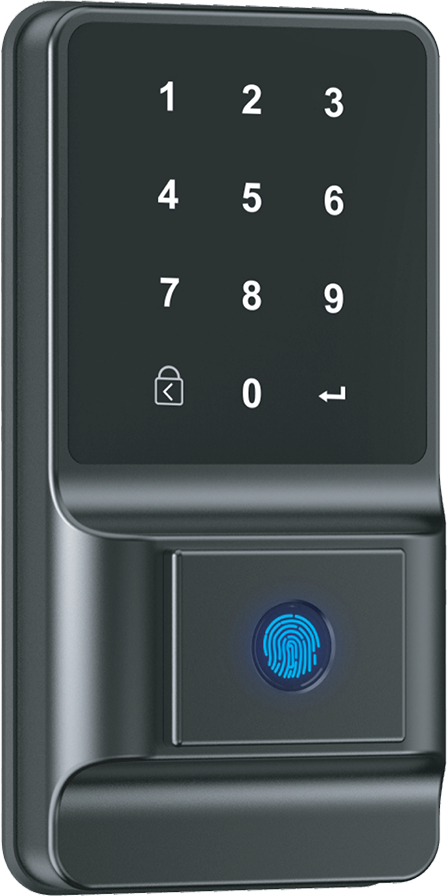
Users set up fingerprints, facial recognition, passwords, access cards, or mobile app access.

Step 2

Choose Unlock Method

Unlock your door using available methods such as fingerprint, face recognition, password, access card, mobile app, or mechanical key.

Step 3

Automatic Locking

The door automatically locks once closed, ensuring continuous protection.

Step 4

Remote Control

Selected models allow users to:

● Unlock remotely
● View access history
● Receive security alerts
● Manage user permissions
● Monitor via camera (if available)

Step 5

Emergency Access

In low battery or emergency situations, mechanical key or emergency charging can be used for access.

Step 1

Register Access

Users set up fingerprints, facial recognition, passwords, access cards, or mobile app access.

Step 2

Choose Unlock Method

Unlock your door using available methods such as fingerprint, face recognition, password, access card, mobile app, or mechanical key.

Step 3

Automatic Locking

The door automatically locks once closed, ensuring continuous protection.

Step 4

Remote Control

Selected models allow users to:

● Unlock remotely
● View access history
● Receive security alerts
● Manage user permissions
● Monitor via camera (if available)

Step 5

Emergency Access

In low battery or emergency situations, mechanical key or emergency charging can be used for access.